
People hand over documents all day without thinking twice — until someone explains what a converted file actually goes through. This is the conversation that changes minds, so we wrote it down properly.
Your files are biography
Open your downloads folder and look with fresh eyes. A scan of your bank statement. A photo of your driver's licence for a KYC form. Your child's birth certificate for a school application. A medical report. A tender document with your company's finances. Each file is a page of your life, and most "free online converter" websites have built their entire business on receiving those pages.
What actually happens on a server-side tool
When a site converts your file "in the cloud", this is the journey: the file leaves your device over the network, lands on a server you did not choose, in a country you cannot verify, processed by software you cannot inspect. It is copied to disk. It may sit in a temp folder, a processing queue, a backup, a CDN cache, or a log. The privacy policy — if you read it — probably says the file is deleted "within 24 hours" or "after processing", promises that are enforced by nothing except goodwill and correct configuration.





Now count how many documents you sent last month, and where each one is sleeping tonight.
What client-side processing actually means
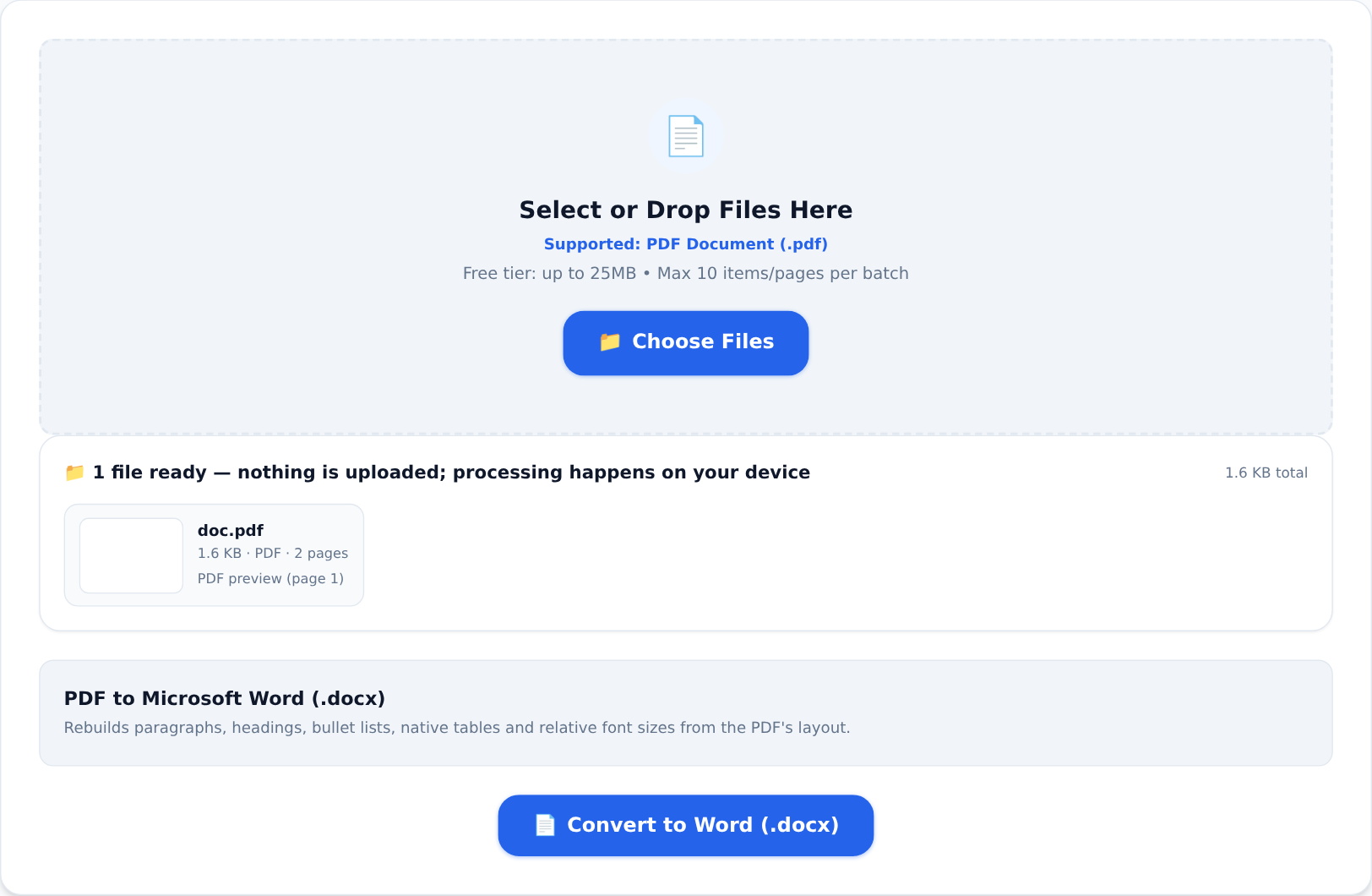
Every tool on KiaKia Tools works the other way. When you open a tool, your browser downloads the processing program itself — a PDF engine, an OCR engine, a video encoder compiled to WebAssembly. Your file then goes to the program on your device. Converting, merging, compressing, redacting — all of it happens in your machine's memory. There is no upload step, no server with your file on it, no retention policy to trust, because there is nothing retained anywhere but your own phone or laptop.
You do not have to take our word for it, and you should not:
The offline test. Open any tool, let the page finish loading, then switch off your Wi-Fi and data. Process a file. It completes, because the work never needed the network. Run that test on any competitor's converter and watch it fail at the upload bar.
Why this matters more in Nigeria
When your data leaves the country, it leaves under other jurisdictions. When it goes to a random file-sharing server, it lands wherever cost decides. And when a document contains your BVN-linked statement or your company's books, "probably deleted" is not a risk assessment — it is a hope. Client-side processing removes the entire category of risk: the file cannot leak from a server it never touched.
The honest trade-offs
Local processing borrows your device's power. Big jobs take real time, and file sizes are bounded by what your browser can handle — that is exactly why the free tier caps files at 25 MB (100 MB for video). If you process heavy files all day, the Pro plans lift the caps — and that is the whole business model:
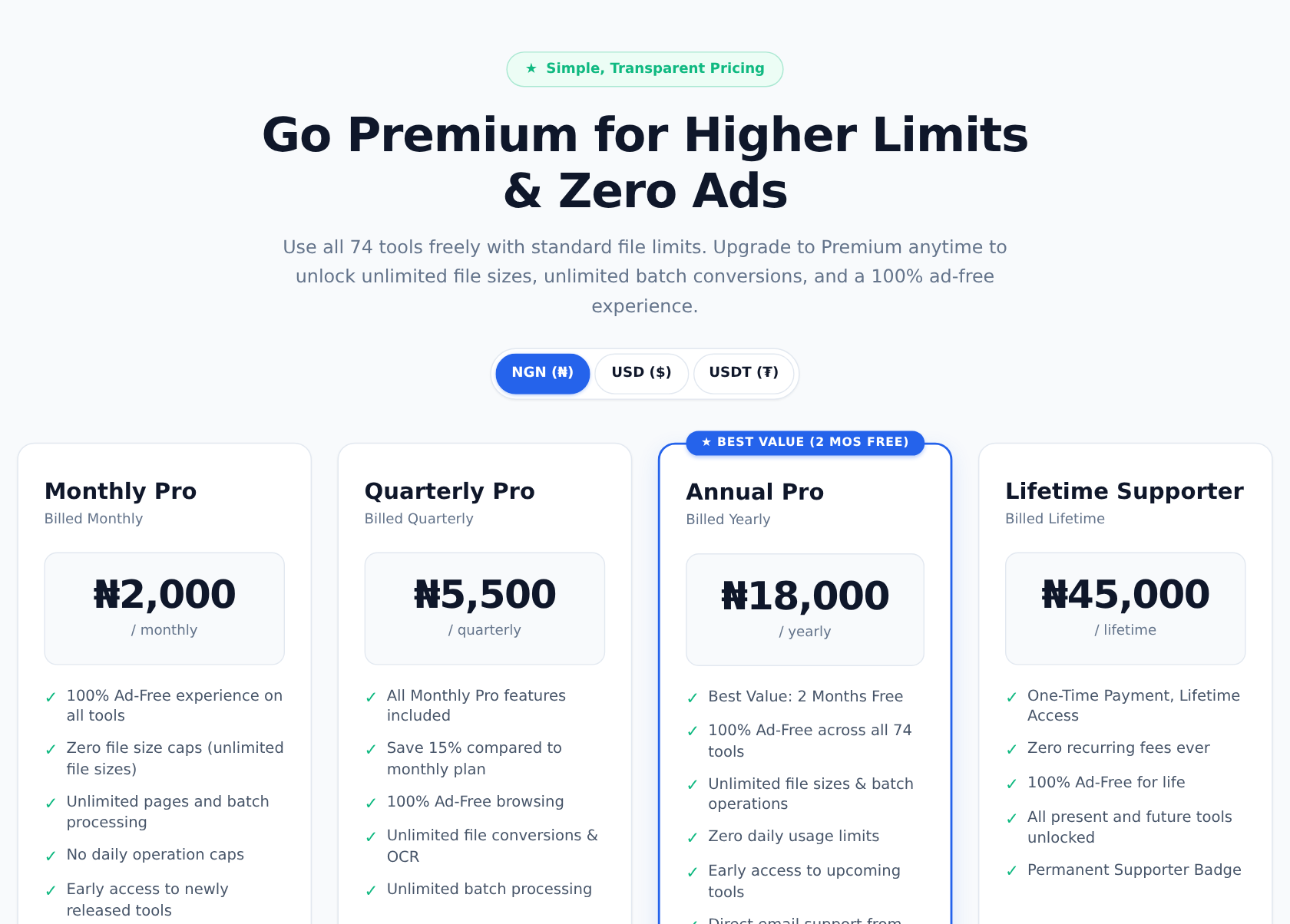
No data selling, no "anonymous profiles", no ad networks profiling your documents. You pay for capability, or you use the generous free tier — and either way, the files stay yours.
That is the entire pitch. Your documents are biography; they should never travel further than the device they are already on.