
Every application season, the same scene repeats: a transcript here, a certificate there, a passport photograph on the floor of the document, and an upload form that accepts exactly one file. Merging PDFs solves it — but most people merge badly, and a few merge dangerously. Here is both halves.
Why merging is the right move
Portals, bursars and HR systems overwhelmingly prefer one PDF. Multiple attachments get separated in email, printed out of order, or rejected outright. A single merged document keeps your sequence — cover letter, credentials, supporting pages — under the reader's thumb exactly as you intended.
Merging safely, in order
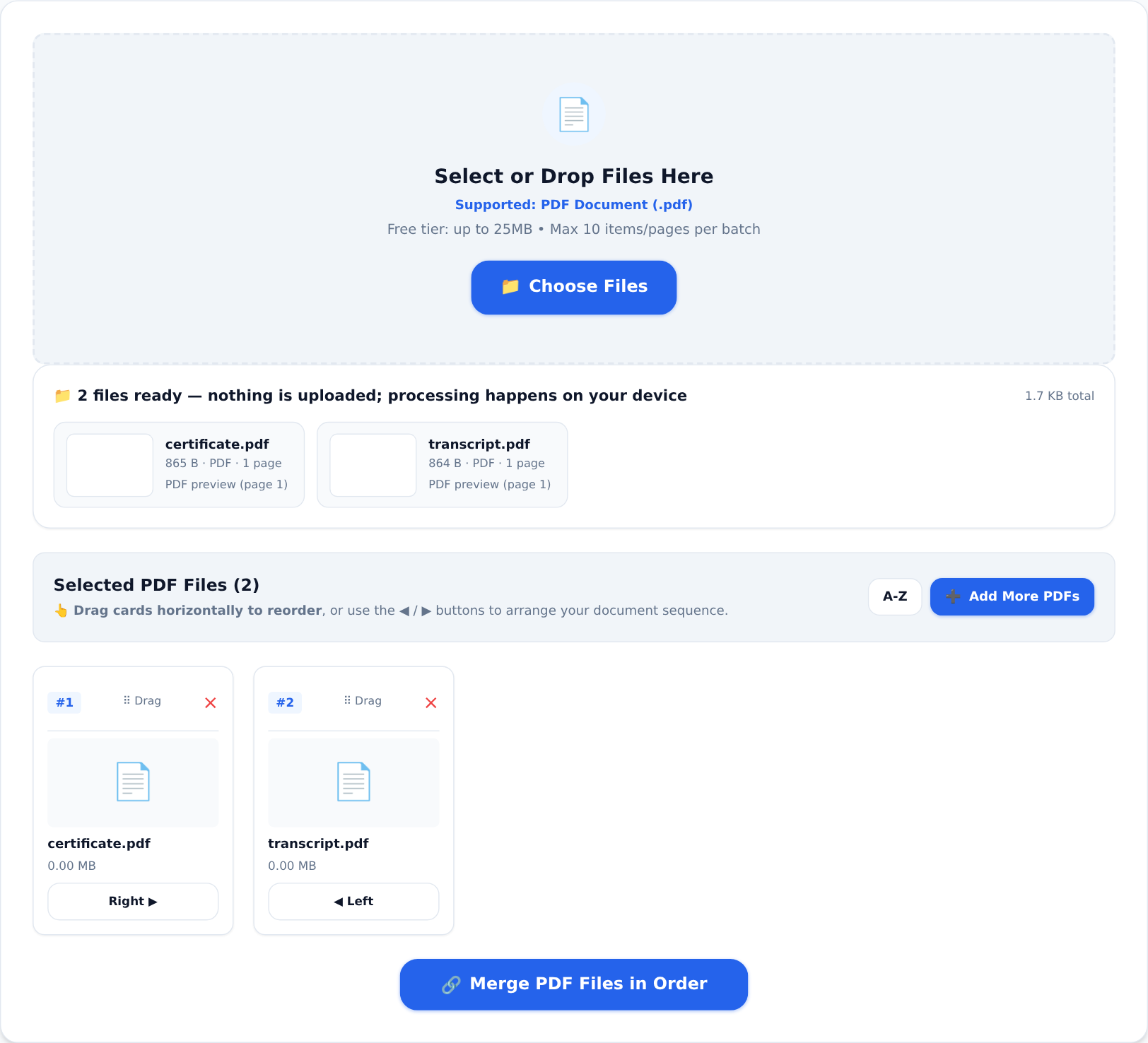





The Merge PDF tool keeps every page on your device and gives you ordering control:
- Drop in each PDF — they appear as cards with previews.
- Drag the cards into the exact order the reader should see them. Cover first, certificate next, transcript last — sequence is the whole point of merging.
- Merge and download, then flip through the result once before sending. Mis-ordered merges are the "please resend" factory.
The safety half — why merging locally matters
A merged document is a dossier. Your certificate carries your name and date of birth; your transcript carries your grades; the affidavit carries your address. Combined, the file says far more about you than any single part — and on a typical online merger, that assembled dossier is uploaded to a stranger's server, processed, and kept "temporarily".
On a client-side merger, the pages never leave your device. The combined dossier is assembled in your own browser's memory and lands in your downloads folder. For documents that identify you completely, that difference is the entire decision.
Preparing pages for a clean merge
- Same page sizes look professional. If the parts came from different sources (scan, Word export, photo-PDF), standardise sizes first — see our page-size guide.
- Trim before merging. Sending only the relevant pages of a long document reads as respect for the reader's time. Split PDF extracts exactly the pages you need.
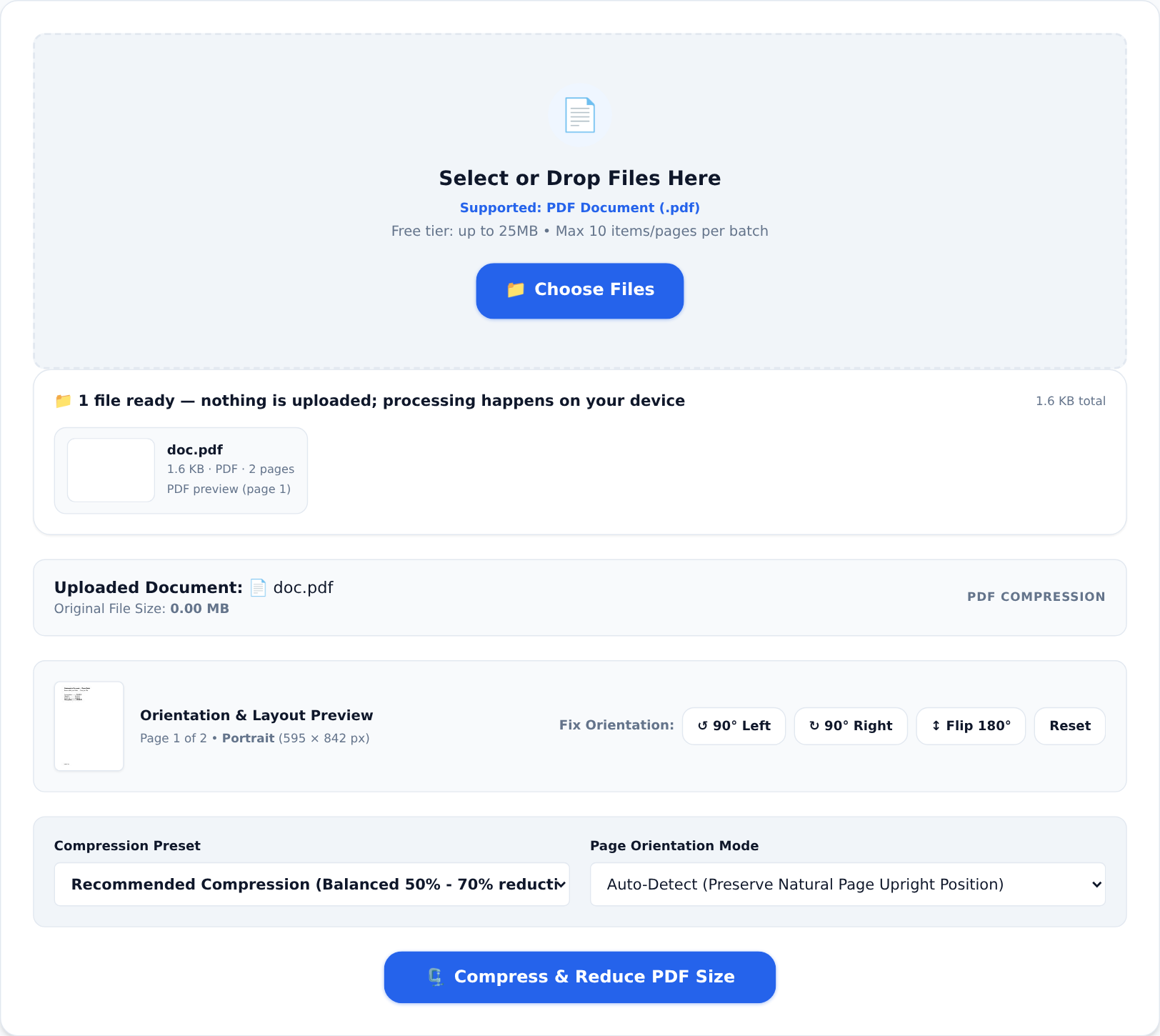
- Shrink the result. Merged documents inherit all their parts' weight. If the file balloons past a portal limit, Compress PDF brings it back down:
The checklist before you hit upload
- Correct order, verified by flipping through the file.
- One consistent page size.
- No page you would not show a stranger — merge is a magnet for leftovers.
- Metadata cleaned if the document is business-related.
- File size within the portal's stated limit.
Thirty seconds of checking beats a rejected application. And once the habit forms, you will find yourself merging tenant files, tender packs and family documents the same way — one clean file, correct order, and nothing about it ever left your phone.