
A shop owner we know was making Jumia-style product photos by holding her phone very still and praying the background looked "clean enough". A designer friend quoted her per-photo rates for cutouts. Both of them needed the same ten seconds of processing. This post is that process, written out.
Who actually needs background removal
More people than think they do:
- Online sellers — marketplaces and Instagram shops convert dramatically better with a clean white or transparent background behind the product.
- Job and school applicants — many form photos effectively need a plain background to look presentable.
- Content creators — thumbnails, flyers and catalogue pages that composite a product onto designed backgrounds.
- Anyone printing stickers, branded mugs or signage — print shops ask for transparent PNGs constantly.
What "transparent PNG" means
A normal photo is a solid rectangle: subject plus background, baked together. A transparent PNG keeps the subject and makes the removed area genuinely empty — a checkerboard in editing apps, nothing at all when placed over another image or coloured design. That emptiness is the magic: the same cutout works on white, black, branded, or patterned backgrounds without re-editing.





Doing it with Background Remover
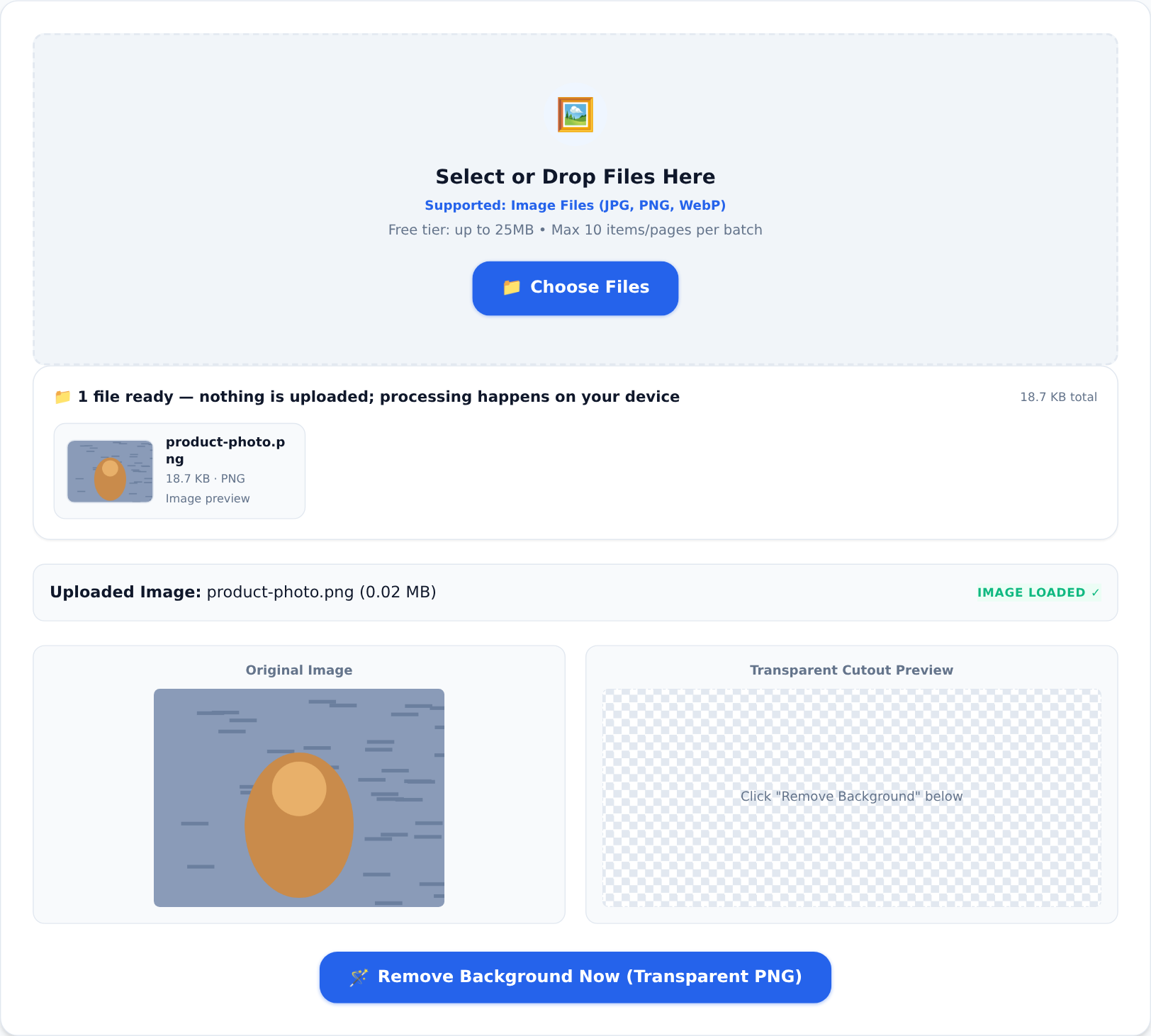
The Background Remover tool runs an AI segmentation model inside your own browser — the photo never leaves your device, which matters when the photo is of your stock, your premises or your face:
- Open the tool and drop in the photo (JPG, PNG or WebP, up to the free tier's limits).
- The model separates the main subject from its surroundings and shows a cutout preview beside the original.
- Download the transparent PNG. Use it directly, or drop it onto a clean background with any editor.
Getting a clean cutout
The model is good, but feed it well:
- Contrast helps. A dark product on a dark sofa is harder than a dark product on a light wall. Even a bedsheet behind the item doubles the quality.
- Even light, sharp focus. Blurry edges confuse segmentation. Daylight by a window beats a dim room.
- One clear subject. Group shots of twelve products get separated as twelve subjects — shoot items individually or tidy the result edge by edge in an editor.
From cutout to catalogue
A typical small-shop workflow with the local tools: remove the background, standardise the product shots to one size, then assemble several into one catalogue page with Image to PDF, or compress the set with the image compressor before uploading to a slow portal. Everything happens in the browser, on the same device that took the photos.
Keep the original
Always keep the untouched photo. Background removal is regenerable — better models arrive, your needs change — but only if the original still exists. Treat cutouts as exports, not replacements.
The designer quote was not wrong — cutouts used to be skilled work. Now it is a ten-second job on your phone, free to start, and private enough for photos of your actual business.